Install Duplex IPTV
This IPTV application available for many different operating systems and devices :
Android and Android TV play store: https://play.google.com/store/apps/details?id=com.duplexiptv
LG smart TV (WebOS) : available in the LG content store
Samsung TV (Tizen OS) : available in the Official Samsung App Store (USA store only)
Windows and Xbox : Install from Windows store > https://www.microsoft.com/en-us/p/duplex-iptv/9nl17vql56w4
Setup IPTV playlist in Duplex IPTV
Time needed: 4 minutes.
setup and install IPTV on Duplex IPTV
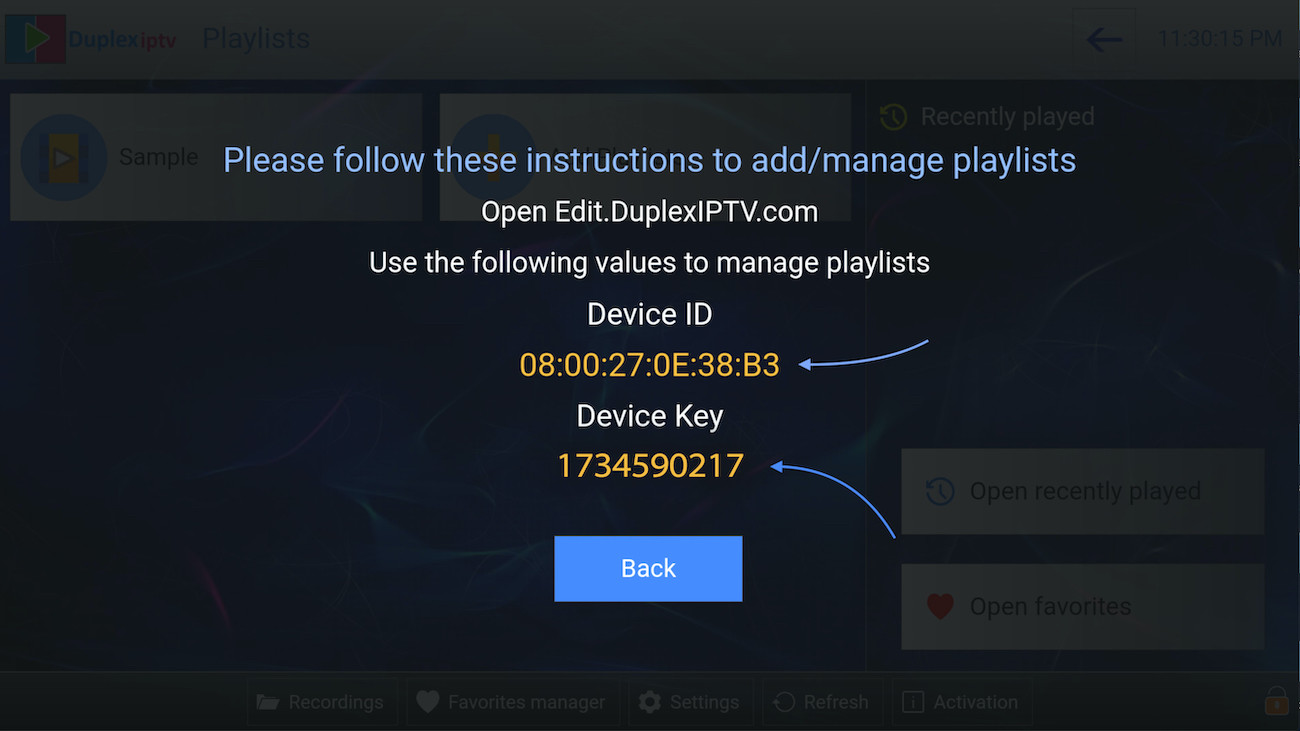
- Note your Device ID and Device Key
After installing application , Open it and you will see the Device ID and Device key (You can find it by choose activation tab too)
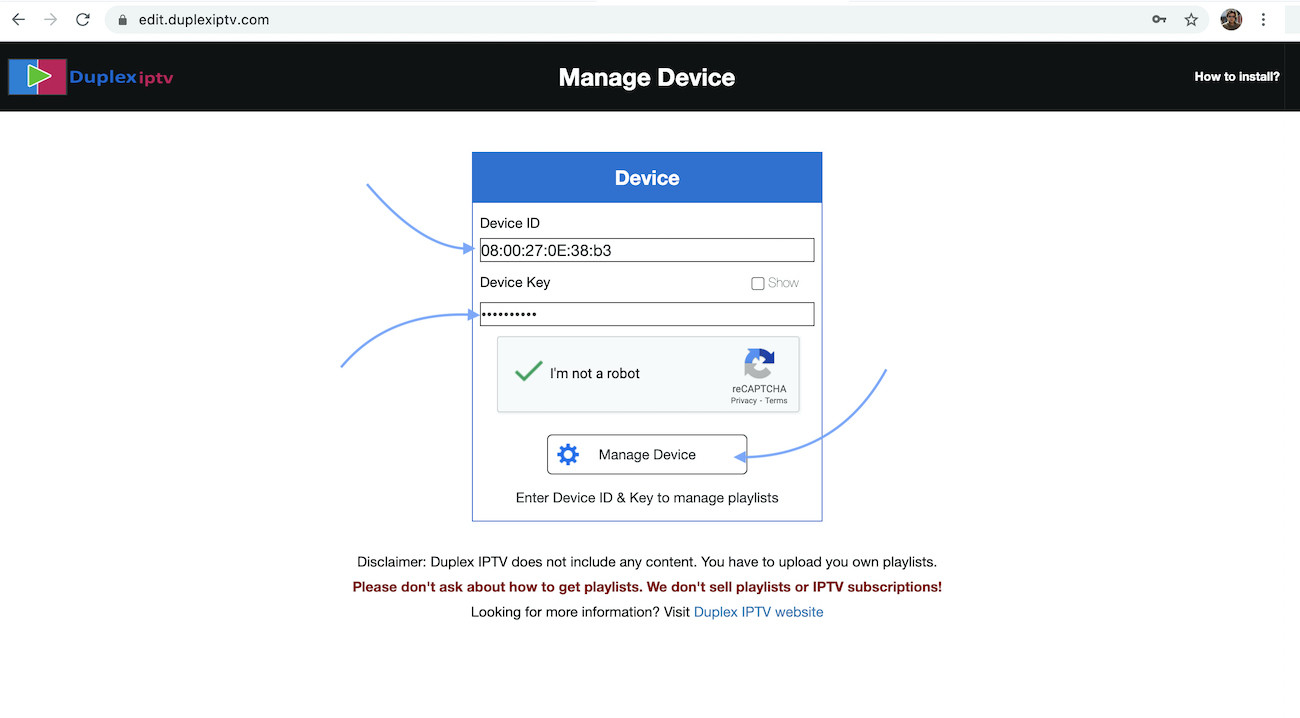
- Login into Duplex IPTV management portal
Navigate to edit.duplexiptv.com and Enter Device ID and Device key you noted in step 1 , Then click on Manage Device
- Add XC Playlist
You can add playlist via both method M3u Link and Xtream connection , We recommend to connect via XC (xtream) playlist.
and Fill your Xtream connection details which you must give from your IPTV provider , If you have not click here to place IPTV subscription now.
Playlist Name: You can set any name for your playlist.
Enter Username , Password and Host (Server URL of xtream connection). Activate Captcha and click on Save .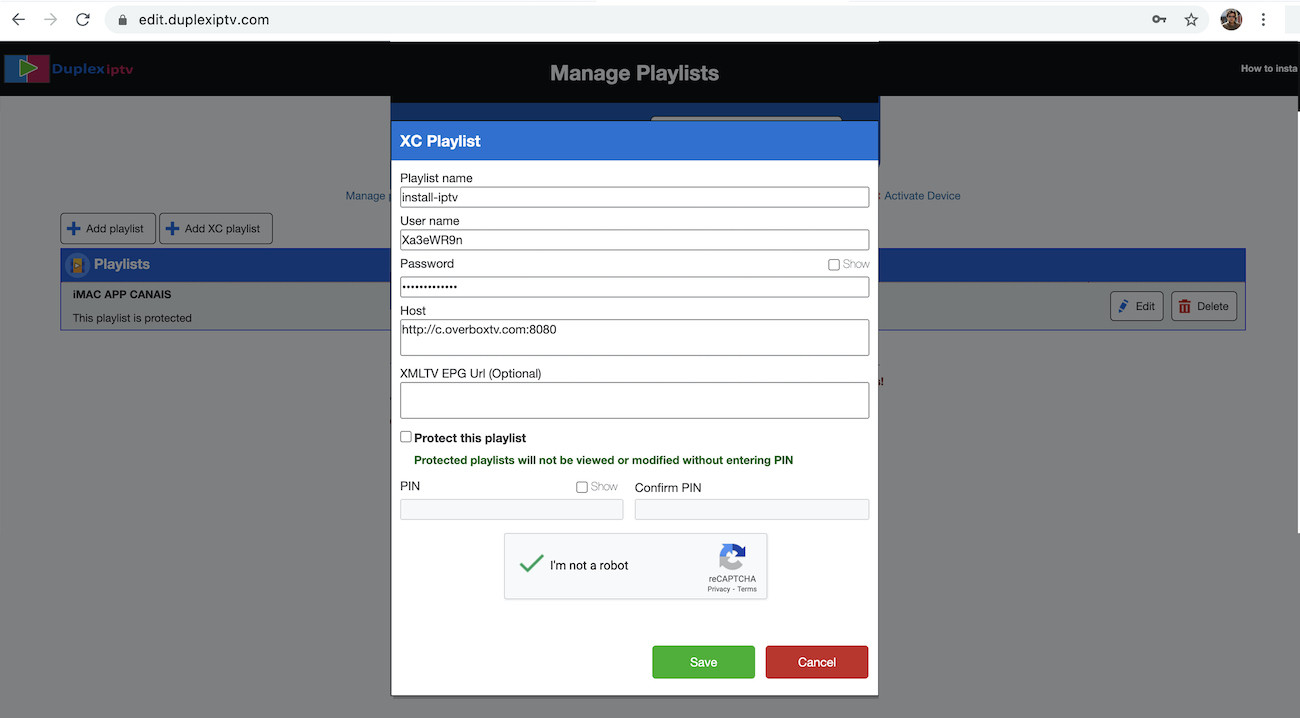
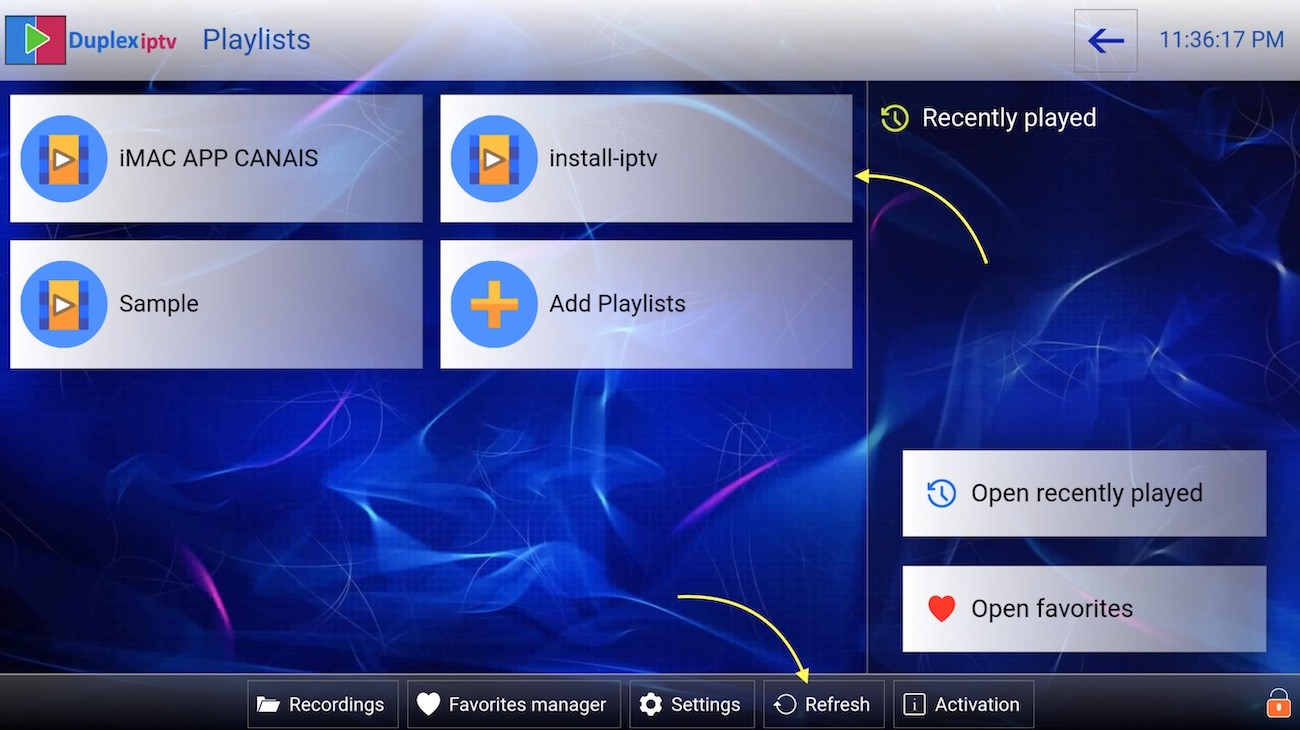
- Refresh Playlists in appication
Then back to Duplex IPTV application and choose Refresh to reload Playlists , Then the playlist name must appears .